
Stop
Stop
You no longer need to constantly tear yourself away from what you’re doing to look for street names outside the window or unlock your phone every two minutes to check the navigation app. Simply select your desired stop on the map, set a comfortable alert radius, and fully immerse yourself in your tasks.
It works reliably, saves battery life, and offers complete peace of mind on any public transport journey.
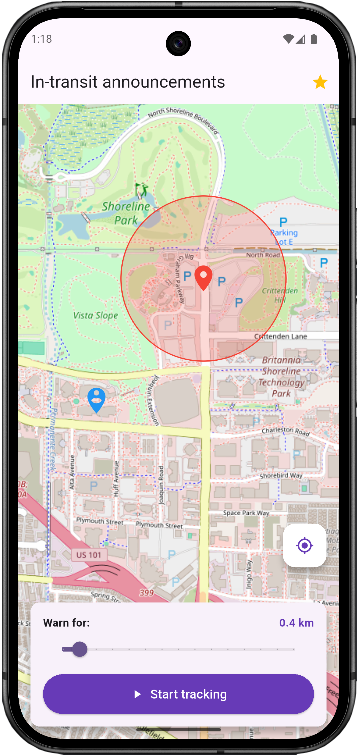
The app tracks your movement while traveling and alerts you in advance as you approach your destination, even if you are listening to music or podcasts.
The app continuously tracks your movement on public transport and alerts you in advance as you approach your stop. You no longer need to keep getting distracted by checking the map or navigation app—simply mark your destination on the map and set a convenient trigger radius. Go about your business, read, sleep, or listen to your favorite music and podcasts: as you approach the selected zone, the app will gently lower the background audio and use voice guidance—delivered straight to your headphones—to let you know it’s time to get ready to disembark.
Step 1. Mark the point.
Select the desired stop or location on the map and set a trigger radius (e.g., 500 meters).
Step 2. Put on the headphones.
Go about your business—listen to music, read books, or relax while traveling.
Step 3. Exit on time.
The app will smoothly lower the volume of your music and announce directly into your headphones: «You'll be getting off soon!»
Key Features
- Running in the background: You don't need to keep the screen on. The app runs in the background and saves battery.
- Smart Ducking: The music does not cut off abruptly or pause; the voice assistant smoothly lowers the background audio volume, announces the warning, and restores the sound.
- Works offline: Only a GPS signal is required
Commitment to Privacy
We use geolocation exclusively while actively tracking the selected point. Your coordinates are not stored on third-party servers and are not shared with third parties.